DataSeer
ML-Powered Document Intelligence
Designing UX for a machine learning platform that extracts structured data from engineering diagrams — turning a proof-of-concept into a tool engineers actually trust enough to use.
- Role
- Design Lead
- Timeframe
- 2021 — 2023
- Scope
- Product · Design · Data Science
- Website
- dataseer.digital

Overview
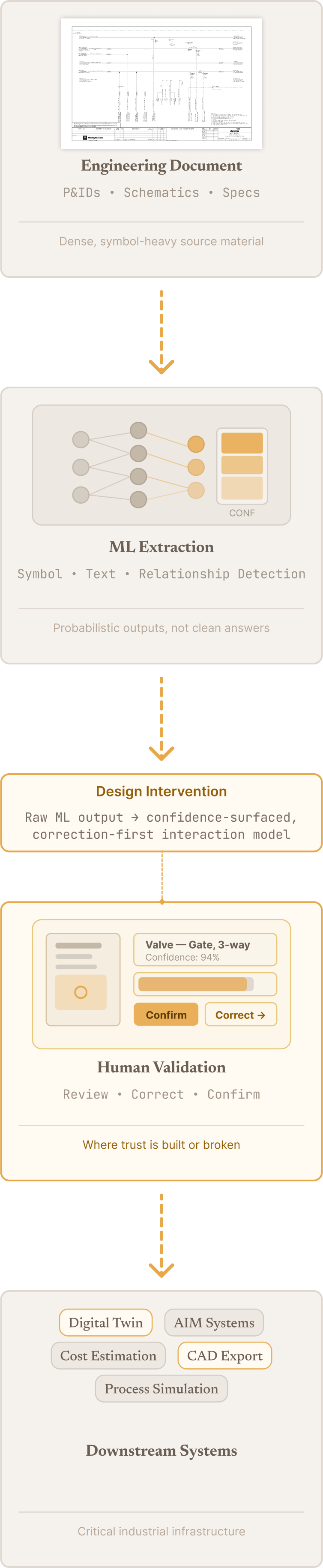
DataSeer is a machine learning platform that extracts structured data from complex engineering documents like P&IDs.
When I joined, the product was basically a model-driven prototype — it could detect symbols and text, but it wasn’t shaped into anything usable yet.
As the product evolved, the core challenge shifted:
From exposing model output
→ to designing a system where users could interpret, validate, and act on that output with confidence
I led the transformation of DataSeer from an experimental ML capability into a structured workflow that could support real engineering use.
Why This Work Mattered
In engineering workflows, extracted data isn’t just informational — it directly affects downstream decisions, documentation, and operational safety.
So accuracy alone wasn’t enough. The product needed to support:
- Trust — users need to understand and verify what the system found
- Accountability — actions based on extracted data need to be defensible
- Adoption at scale — usable by domain experts and less experienced users alike
The risk wasn’t just inefficiency — it was people misreading machine output in high-stakes environments.
The Challenge
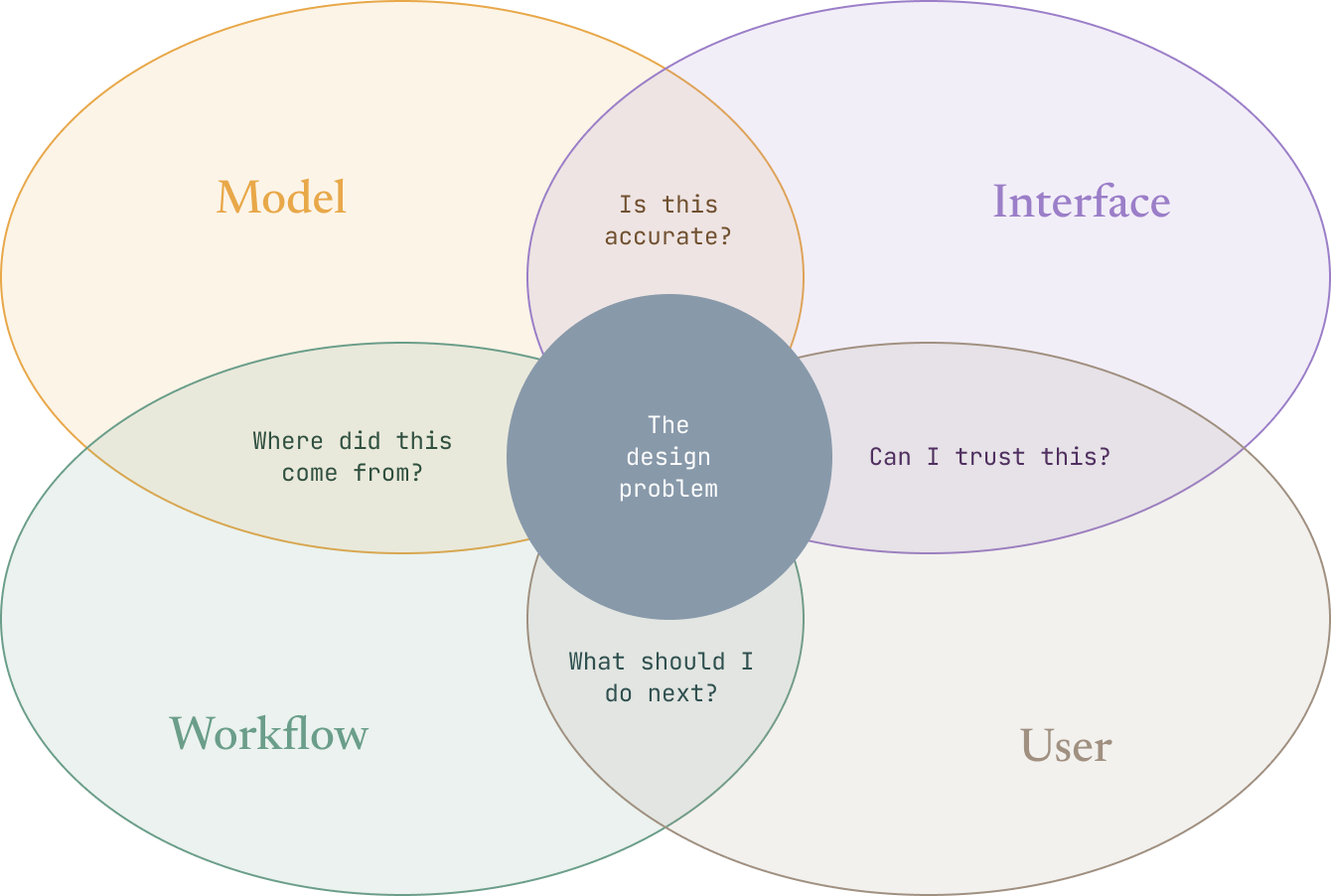
DataSeer’s complexity hit on several levels at once.
Model Complexity
Outputs were probabilistic, not deterministic. Misclassifications and edge cases were unavoidable. Confidence needed to be communicated without overwhelming users.
Interface Complexity
Users interacted with dense, highly detailed engineering drawings. Extracted data needed to map back clearly to its visual source. Validation required both spatial and structured understanding.
Workflow Complexity
Extraction was not a single step, but a process: ingestion → detection → validation → correction → export.
User Complexity
Users ranged from senior engineers who understood every symbol on a P&ID, to less experienced operators who relied on the system to guide them. The design had to work credibly across both — without dumbing down for experts or losing less experienced users in complexity.
My Role
I was the lead designer from early R&D through production, working across product, engineering, and data science.
My scope covered the full product system:
- Defining interaction models for ML-assisted workflows
- Structuring the end-to-end user journey
- Translating model behavior into feedback users could actually read
- Keeping product, engineering, and data science aligned
I owned how the product behaved as a system, not just how it looked.
Shift 1 — Making Machine Output Legible
ML systems produce probabilities and edge cases, not clean answers.
Why This Was Hard
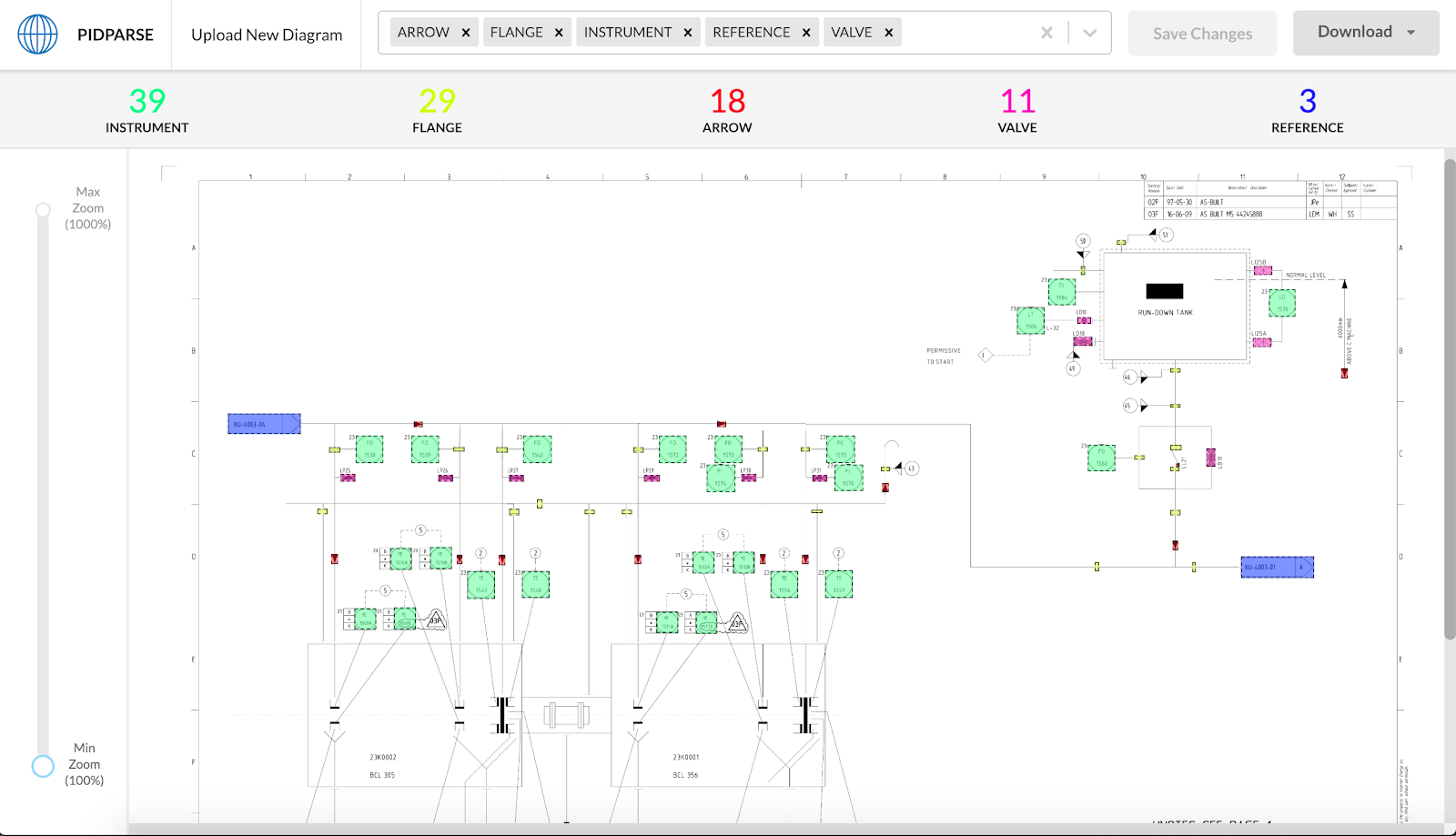
Early iterations exposed raw outputs, which created friction:
- Users struggled to understand what the system had detected
- Confidence levels were unclear or not actionable
- Errors required significant effort to locate
What I Changed
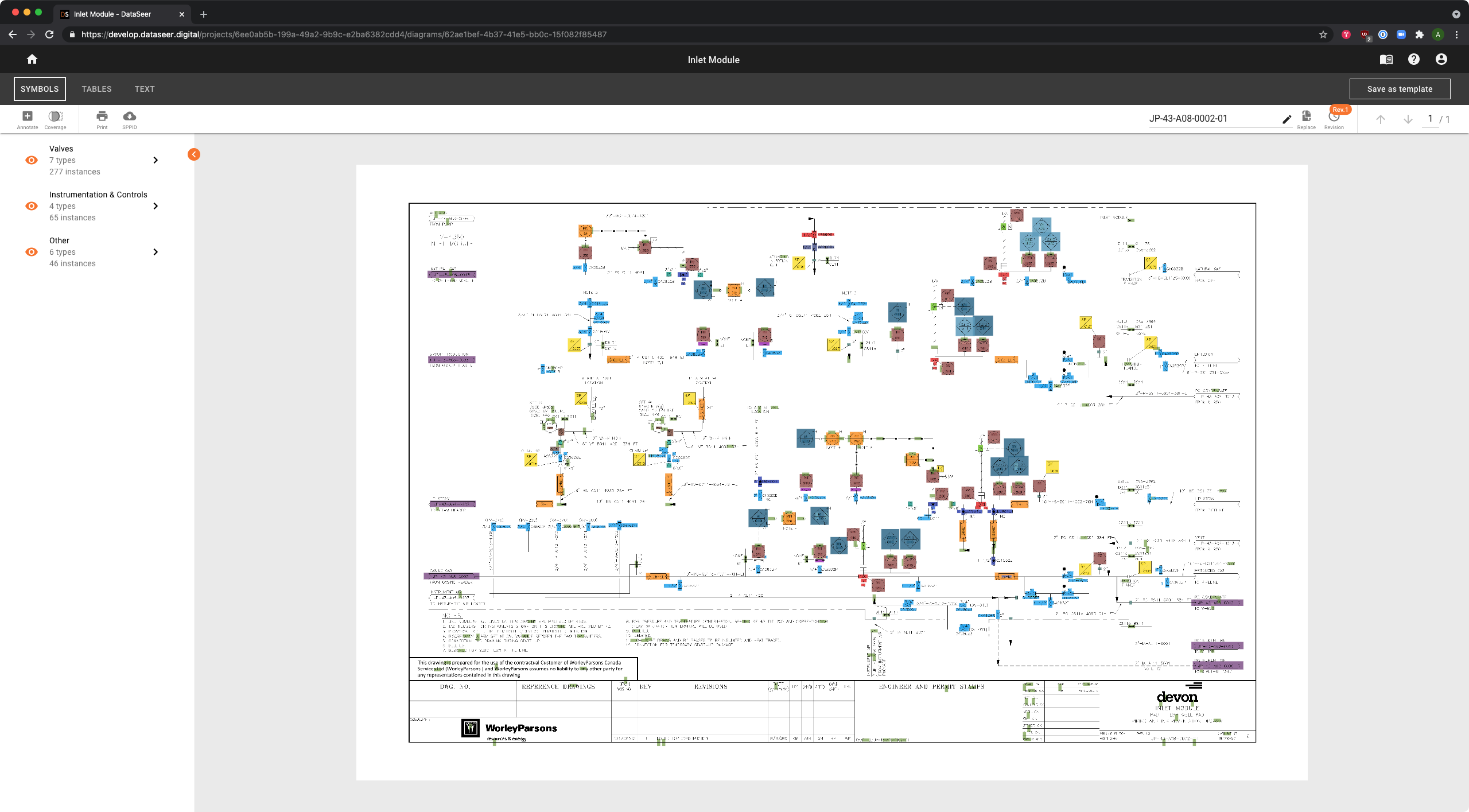
I focused on making model behavior visible and interpretable:
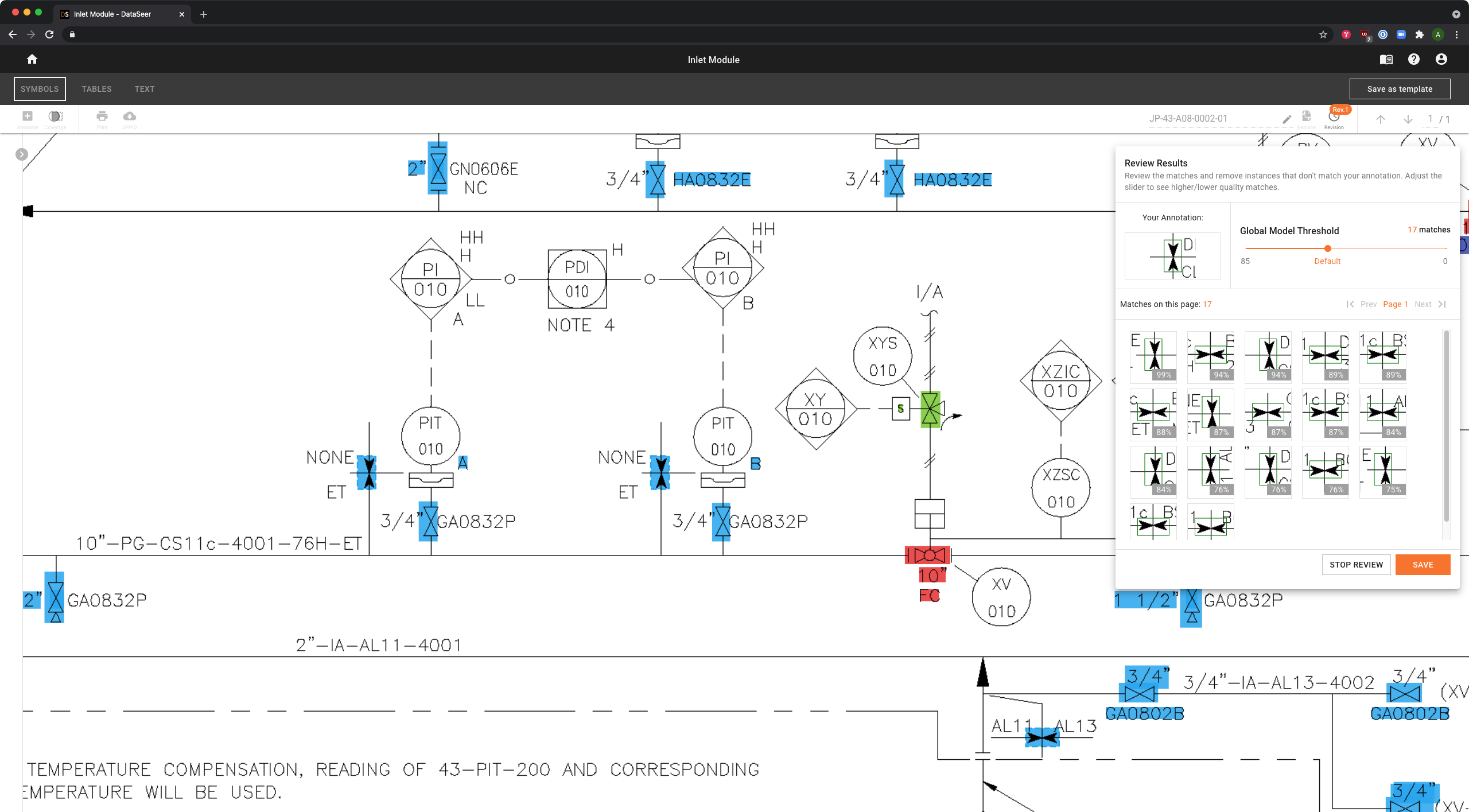
- Introduced confidence-based visual indicators
- Created mappings between detected entities, their position in the source document, and structured outputs
- Designed patterns for inspecting model decisions and spotting uncertainty quickly
Shift 2 — Designing for Correction as a First-Class Interaction
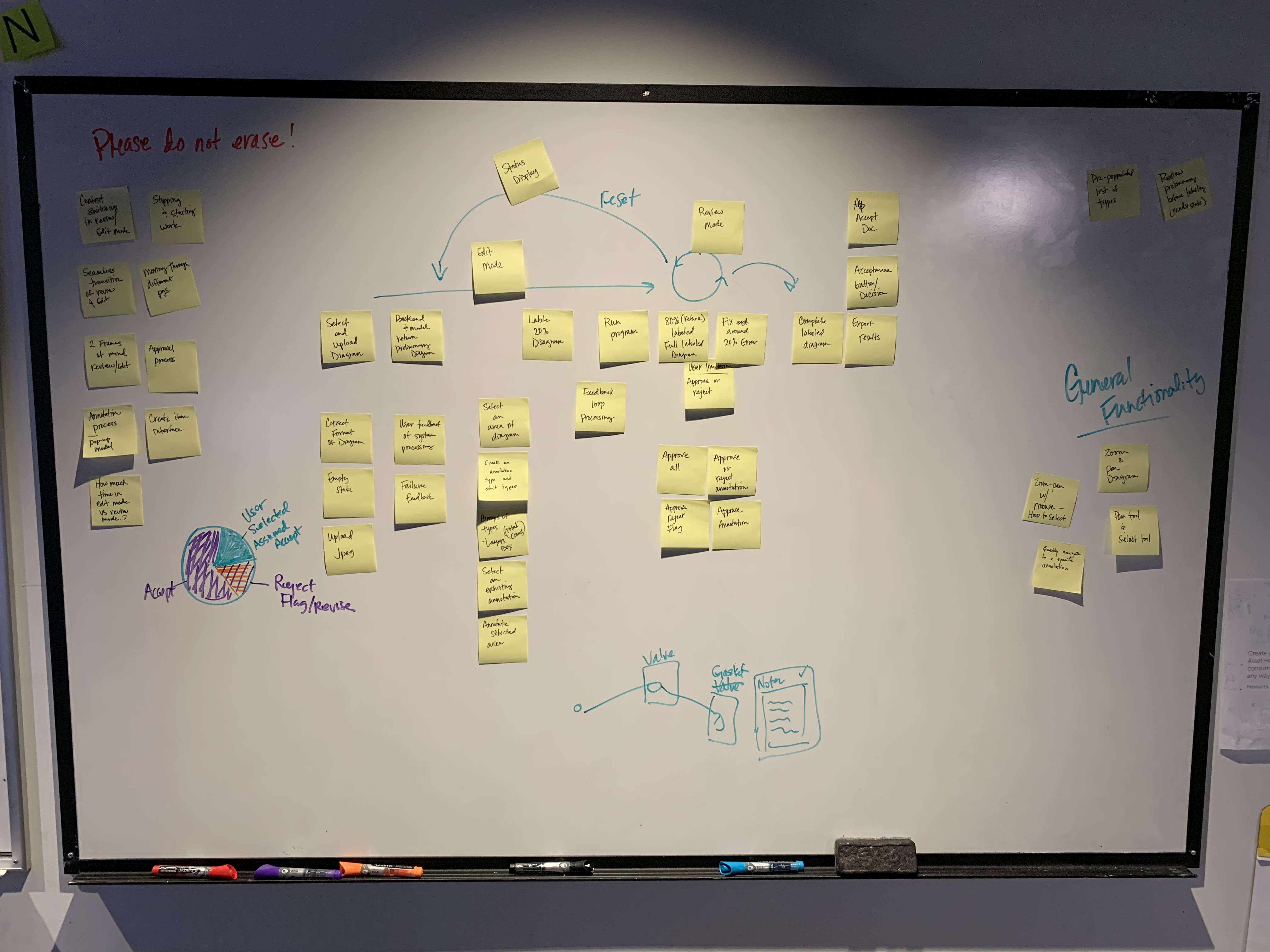
Errors aren’t exceptions in ML systems — they’re expected. You can’t design for perfection. The system needed to support continuous correction and refinement.
Why This Was Hard
Early designs treated validation as a secondary flow — something users did only when the model got something obviously wrong. This underestimated both the frequency of errors and the cognitive effort required to find and fix them in context.
What I Changed
I reframed correction as a core workflow:
- Designed structured validation flows: confirm → edit → reclassify → approve
- Enabled users to edit, reclassify, and override extracted entities directly in context — without leaving the document view
- Reduced friction between document view and structured editing
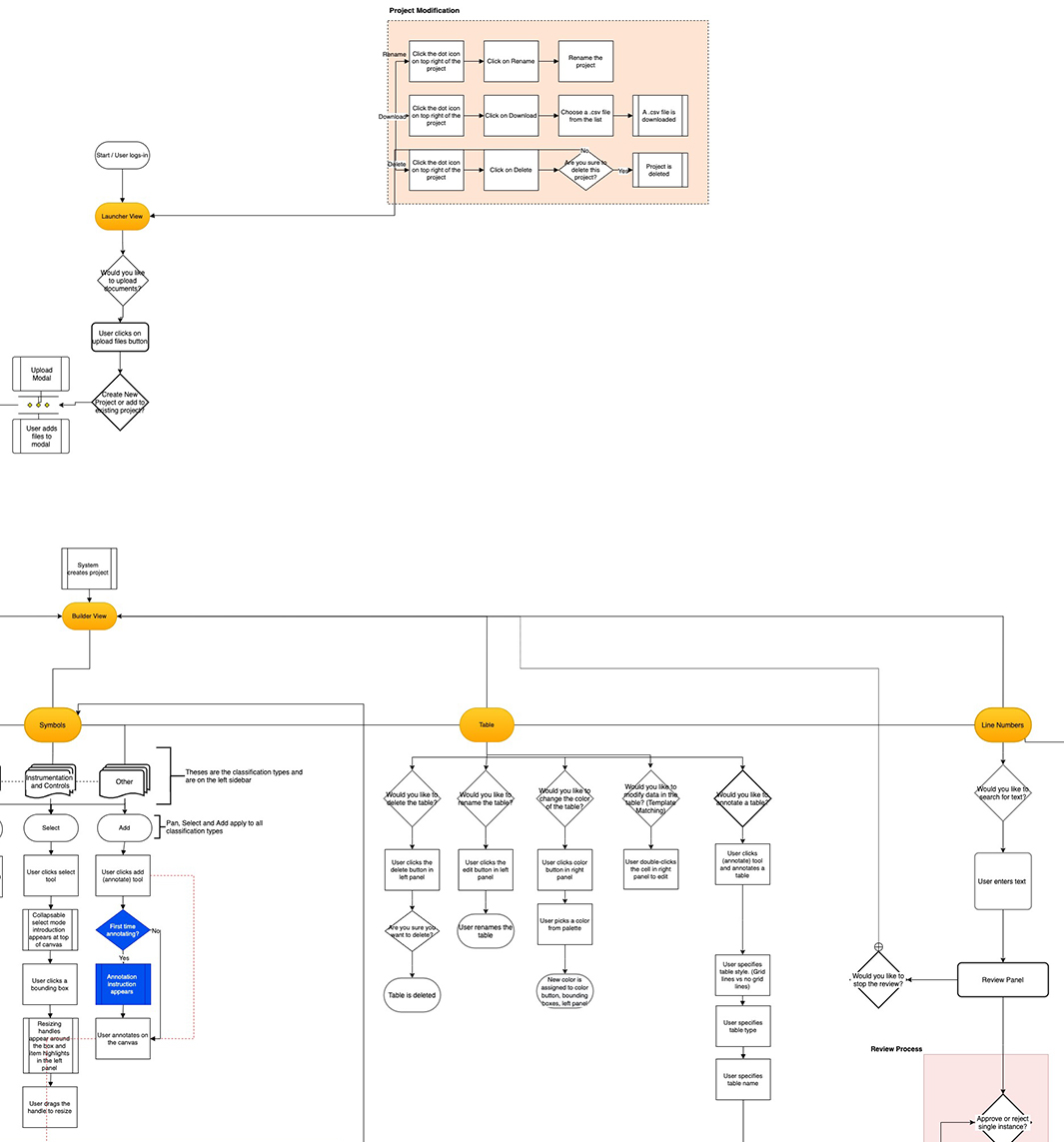
Shift 3 — Structuring the End-to-End Workflow
Early prototypes emphasized capability over flow. Users had powerful tools but no clear sense of where they were in the process.
Why This Was Hard
The product came from ML research, not workflow design. Each feature solved a discrete problem, but the stages weren’t connected. Users had to figure out their own path through the product.
What I Changed
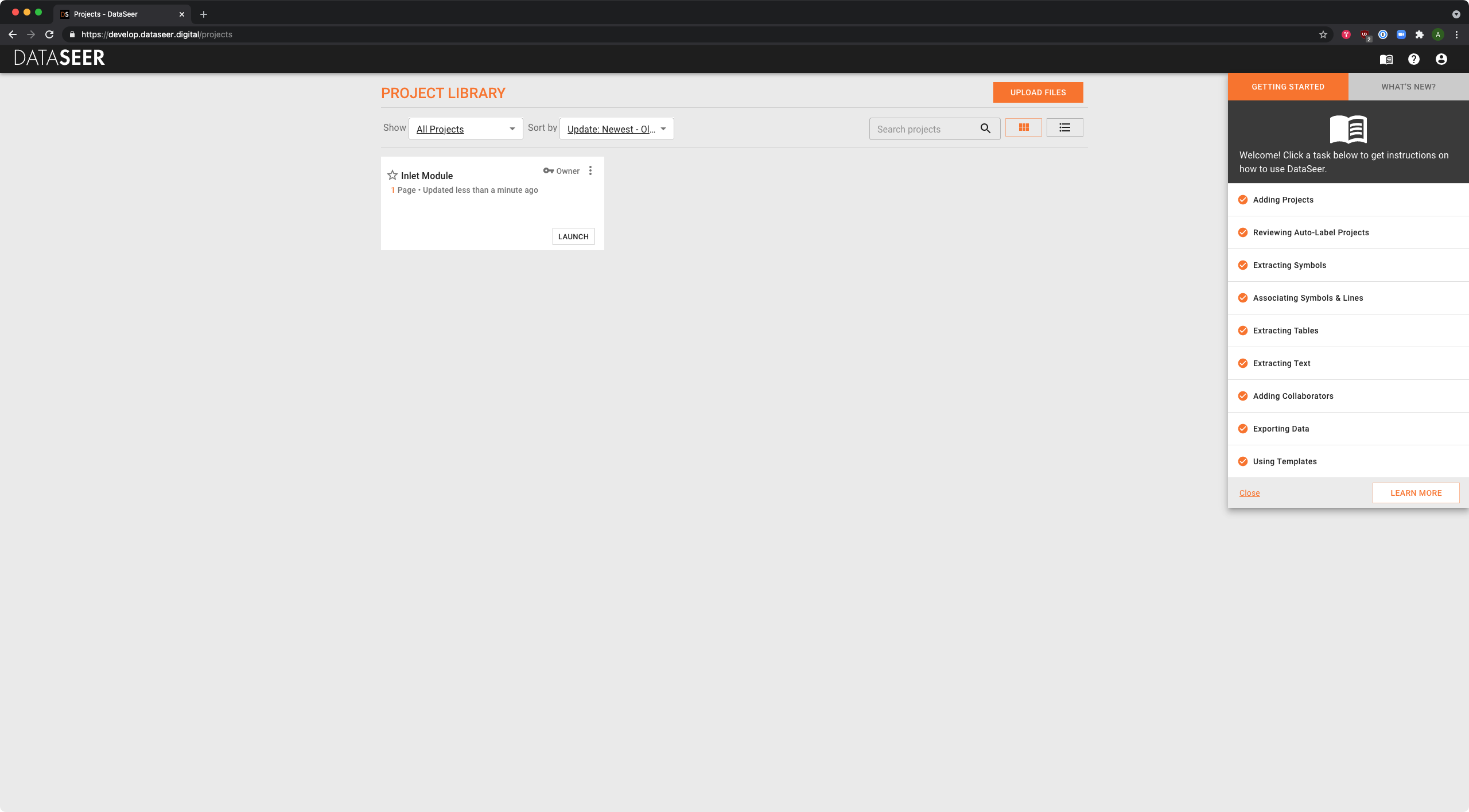
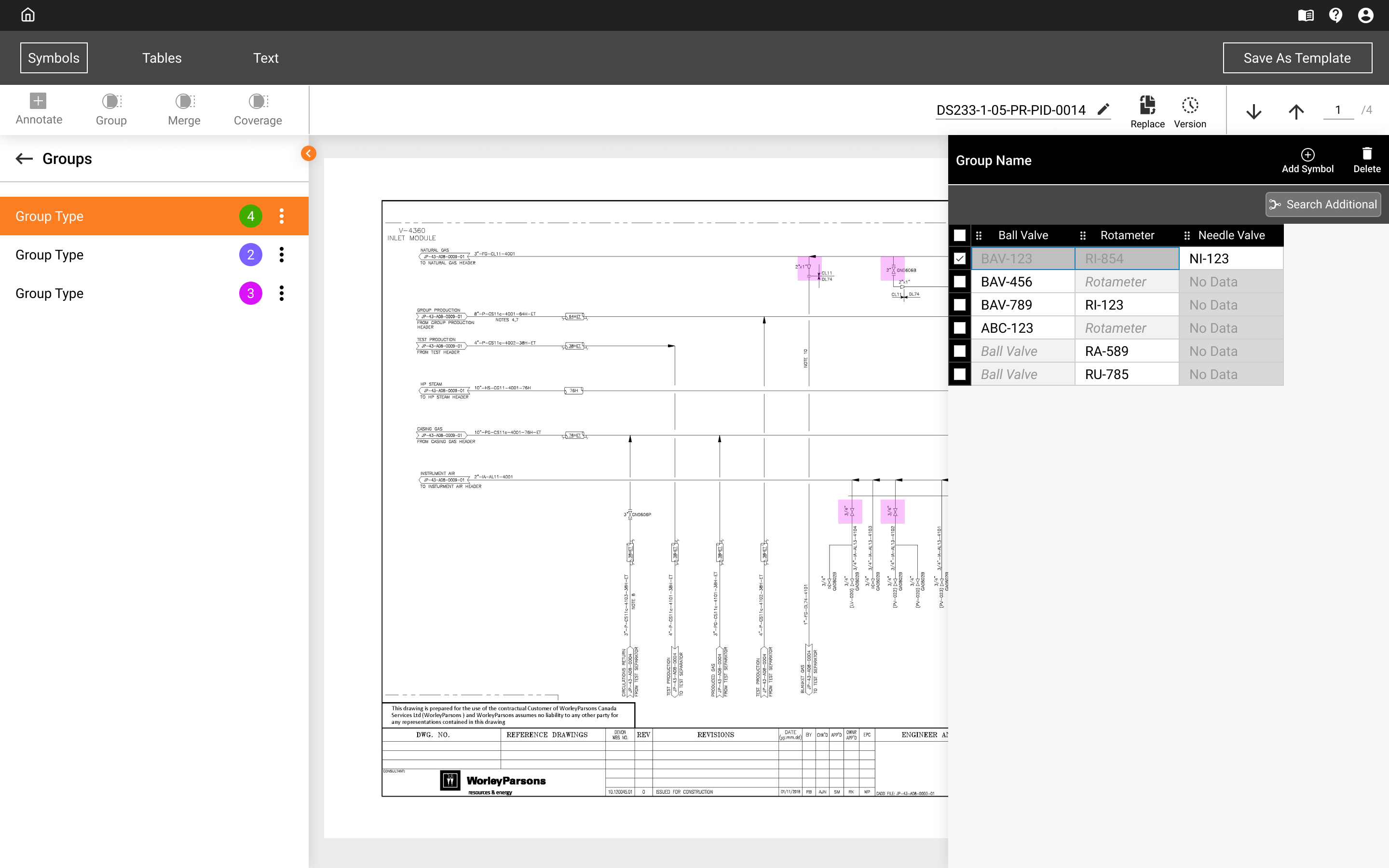
I introduced a structured workflow model mapped to how the product actually worked:
- Launcher View — ingestion entry point: upload files, create or manage projects
- Builder View — extraction across three parallel tracks: Symbols, Tables, and Text
- Review Process — validation: approve, correct, or reject model output before export
- Clear transitions between steps, with support for targeted re-entry at any stage
Outcomes
Product
- Turned a research prototype into a structured, usable workflow engineers could trust and act on
- Established an interaction model extended into versioning, document comparison, SmartPlant integration, and collaborative workflows
Design Practice
- Built a design system for DataSeer from the ground up
- Standardized the design process across the team
- Developed a UI onboarding process for incoming designers
- Led the transition to Figma
- Evangelized design thinking within an organization that came from ML research — shifting how the team approached product decisions
Reflection
DataSeer reinforced something I think is key to designing AI-driven products: the model is not the product. The product is the system that helps a person interpret, act on, and trust what the model found.
That framing shaped most of the decisions I made here — from how confidence was surfaced, to how correction was structured, to keeping the human meaningfully in the loop rather than just approving outputs they couldn’t evaluate.